

Why Request Indexing?
Natural Indexing
Google’s crawler finds your pages organically. This can take days to weeks depending on your site’s crawl frequency.
Manual Request
Request indexing directly through Search Console. Typically indexed within 1-2 days.
Prerequisites
Before you begin, make sure you have:- Google Search Console set up for your domain
- GEO pages published and accessible at their URLs
- Domain verification completed in Search Console
Request Indexing Step by Step
Step 1: Open URL Inspection Tool
Go to Google Search Console, select your property, and find the URL Inspection search bar at the top of the page.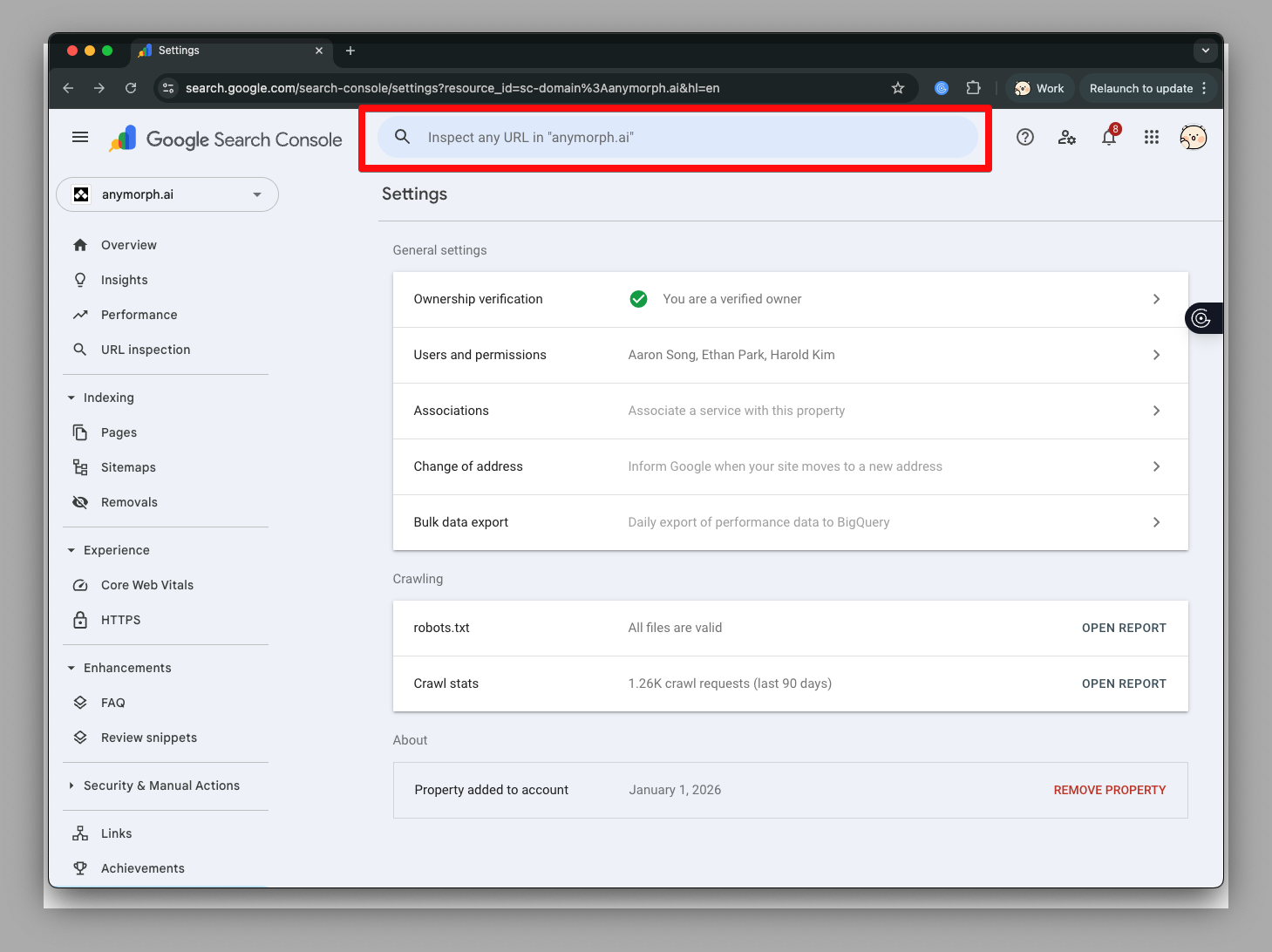
Step 2: Enter Your Page URL
Paste the full URL of your published GEO page into the search bar and press Enter.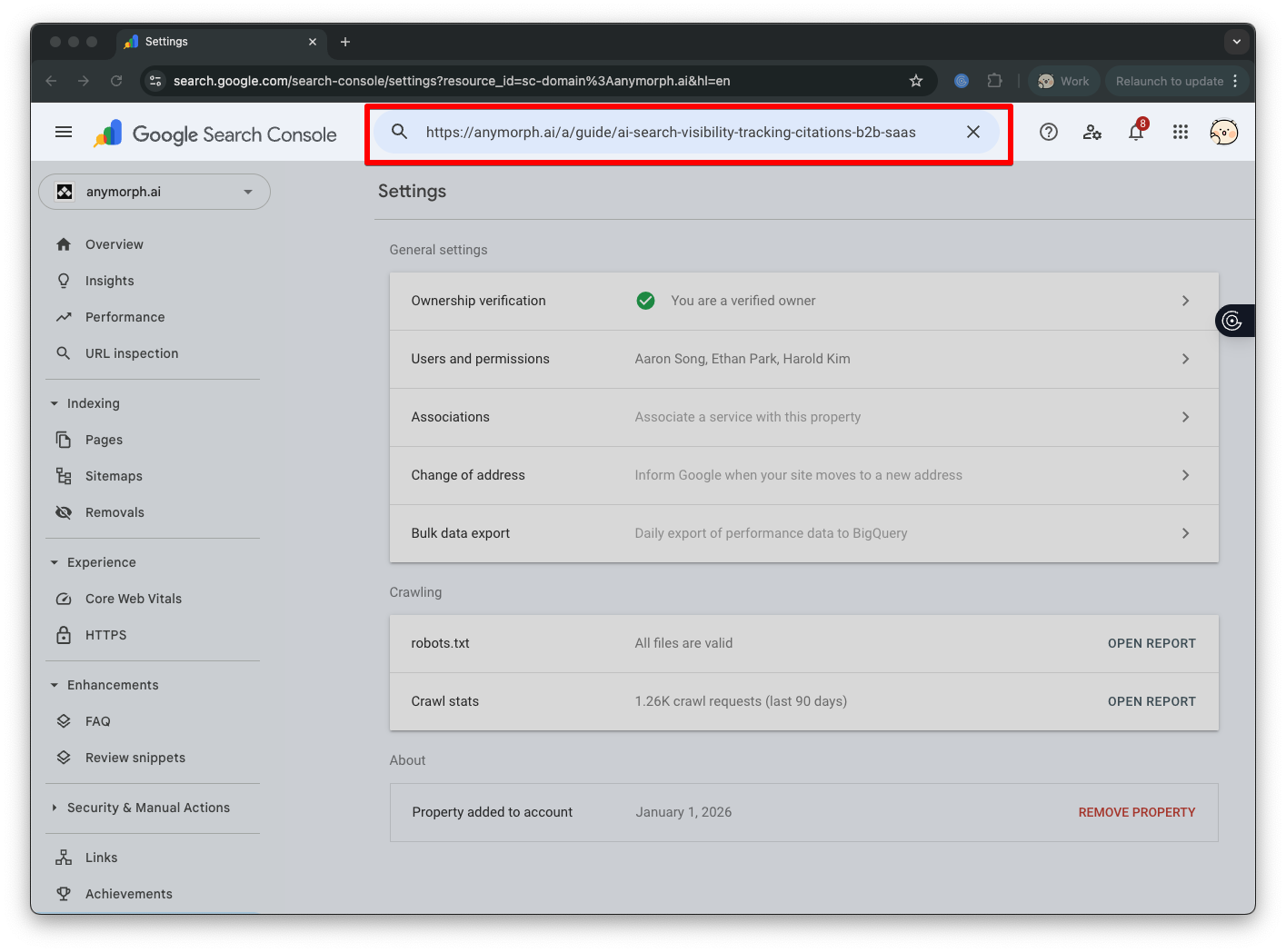
Step 3: Request Indexing
If the page is not yet indexed, you’ll see “URL is not on Google”. Click the Request Indexing button to submit your page for indexing.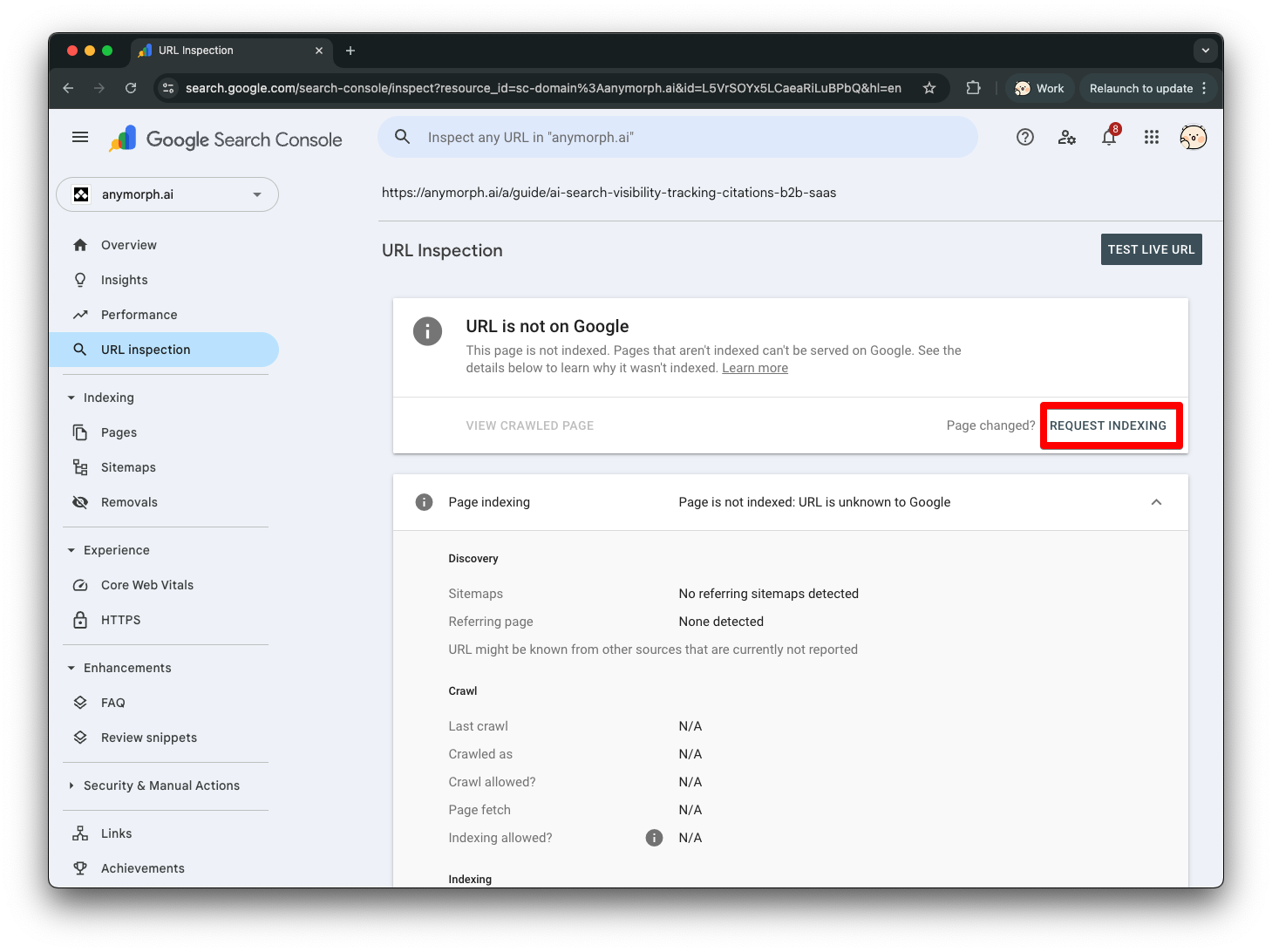
Step 4: Confirm the Request
After clicking Request Indexing, a live test will run for 1-2 minutes. Once complete, you’ll see a confirmation that your indexing request has been submitted.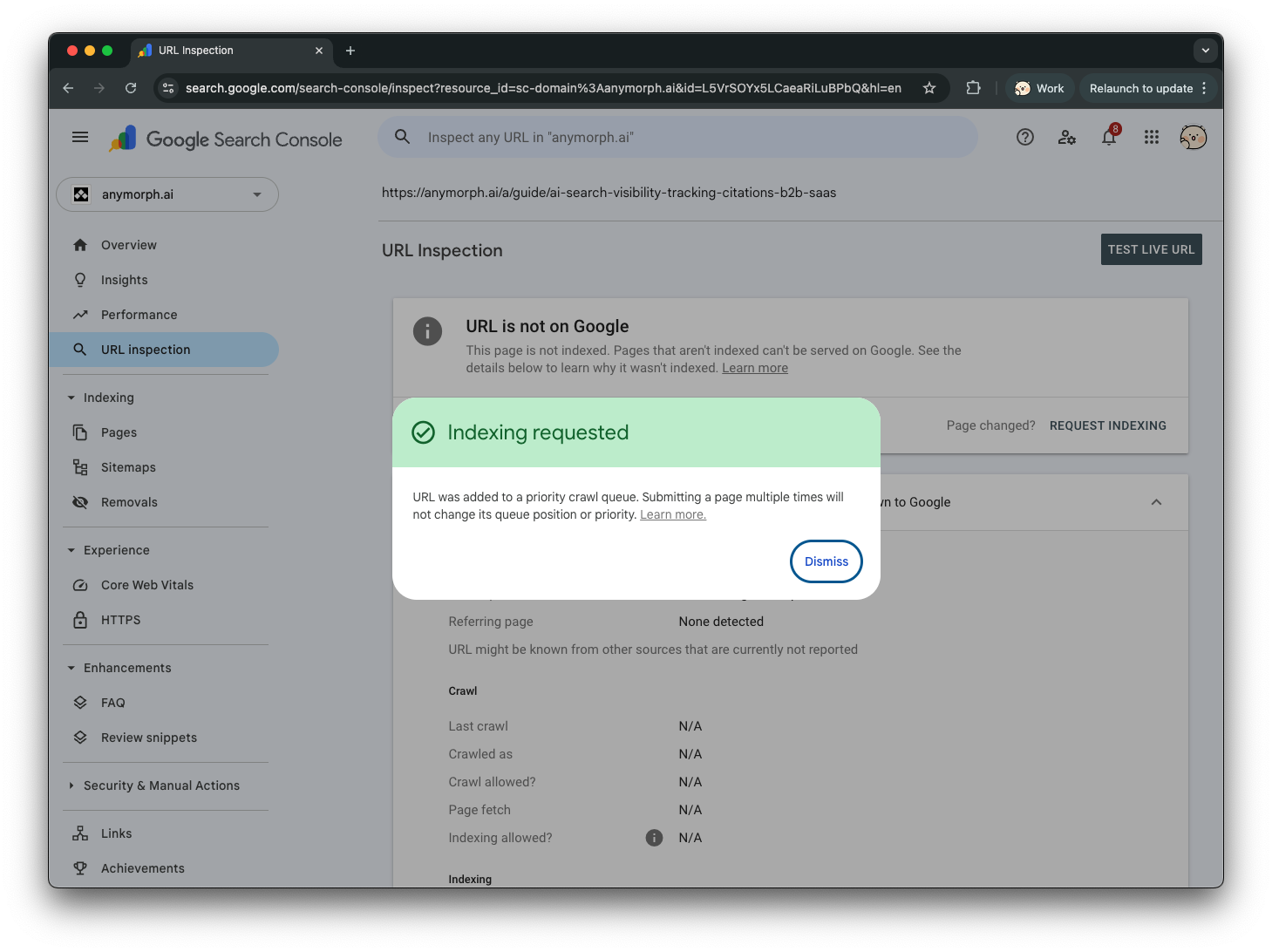
Daily Limits: Google limits indexing requests to approximately 10-12 URLs per day per property. Plan accordingly if you have many pages to submit.
Expected Timeline
| Action | Typical Time |
|---|---|
| Request submitted | Immediate |
| Indexing processed | 1-2 days |
| Appears in search results | 1-3 days after indexing |
Best Practices
Batch your requests
Batch your requests
If you’ve published multiple GEO pages, submit them in batches over several days to stay within daily limits.
Submit your sitemap
Submit your sitemap
Make sure your sitemap includes all GEO pages. Go to Sitemaps in Search Console and submit your sitemap URL.
Re-index after updates
Re-index after updates
Made significant changes to a page? Request re-indexing to ensure Google has the latest version.
Troubleshooting
'URL is not on Google' after request
'URL is not on Google' after request
Wait 1-2 days. If still not indexed, check:
- Page is accessible (no 404 errors)
- No
noindexmeta tag - Page isn’t blocked by robots.txt
Request Indexing button disabled
Request Indexing button disabled
Next Steps
Google Search Console Help
Official documentation on URL Inspection tool.