

If the backlog is empty, run Fix Analysis first. Anymorph will read the latest page snapshots and populate recommended edits when the analysis finishes.
What Fix looks for
Fix is focused on GEO-readiness, not generic SEO checklists. It looks for:- AI crawl blockers and inaccessible content.
- Human-visible content that does not match AI-readable text.
- Missing direct answers for target intents.
- Weak citation structure, proof, or schema.
- Outdated facts and poor freshness grounding.
- Internal-link and entity-consistency gaps.
Run Fix Analysis
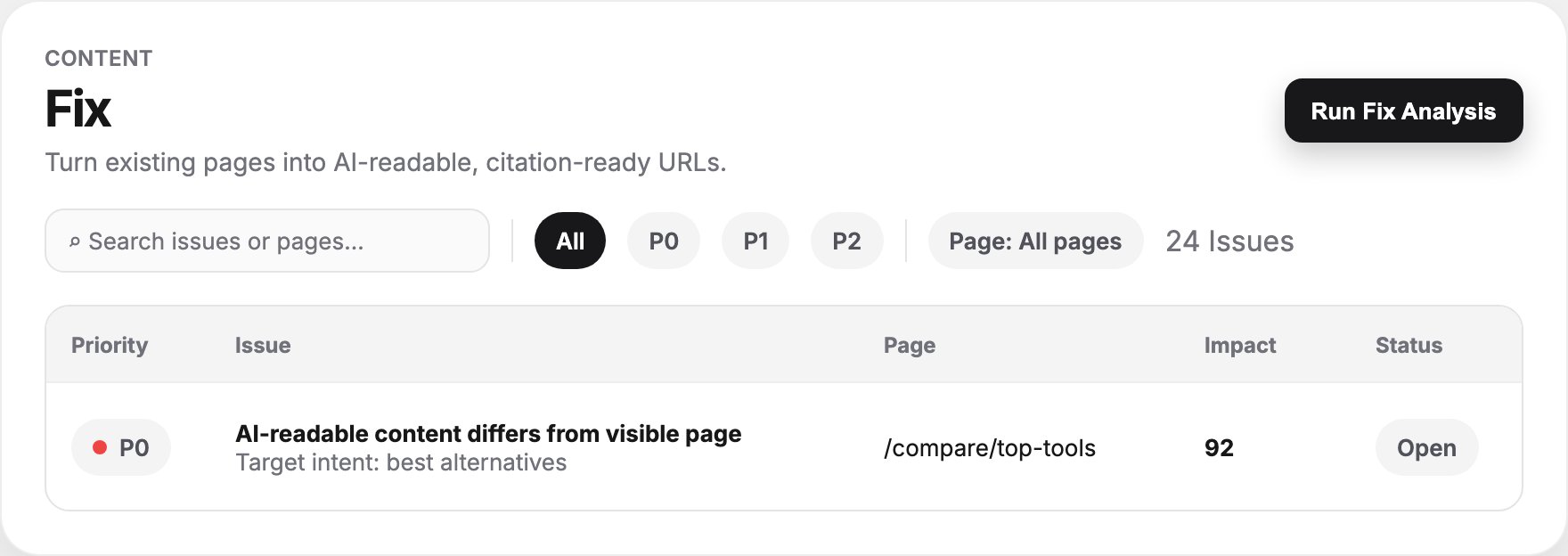
Click Run Fix Analysis in the header. Anymorph reads existing page snapshots and builds a persisted issue list. While analysis runs, the empty state changes to Reading pages now and issues appear when the run completes. If no prior audit exists, the page prompts you to run the first analysis.Backlog controls
The Fix backlog includes:Backlog table
Each row contains:
Click a row to open its detail page.
Action detail page
The detail page explains exactly what to change:
Use Mark Done when the page has been fixed and Dismiss when the recommendation is not relevant. Back to Fix Backlog returns to the filtered list.
Fix vs Generate
Related
Generate
Create new pages when fixing an existing URL is not enough.
Citations
Identify which source patterns your Fix work should match.
Knowledge
Add rules and research that support better edits and future generation.
Performance
Confirm whether fixed and generated pages start earning citations and traffic.