

What’s on the screen
Guidelines
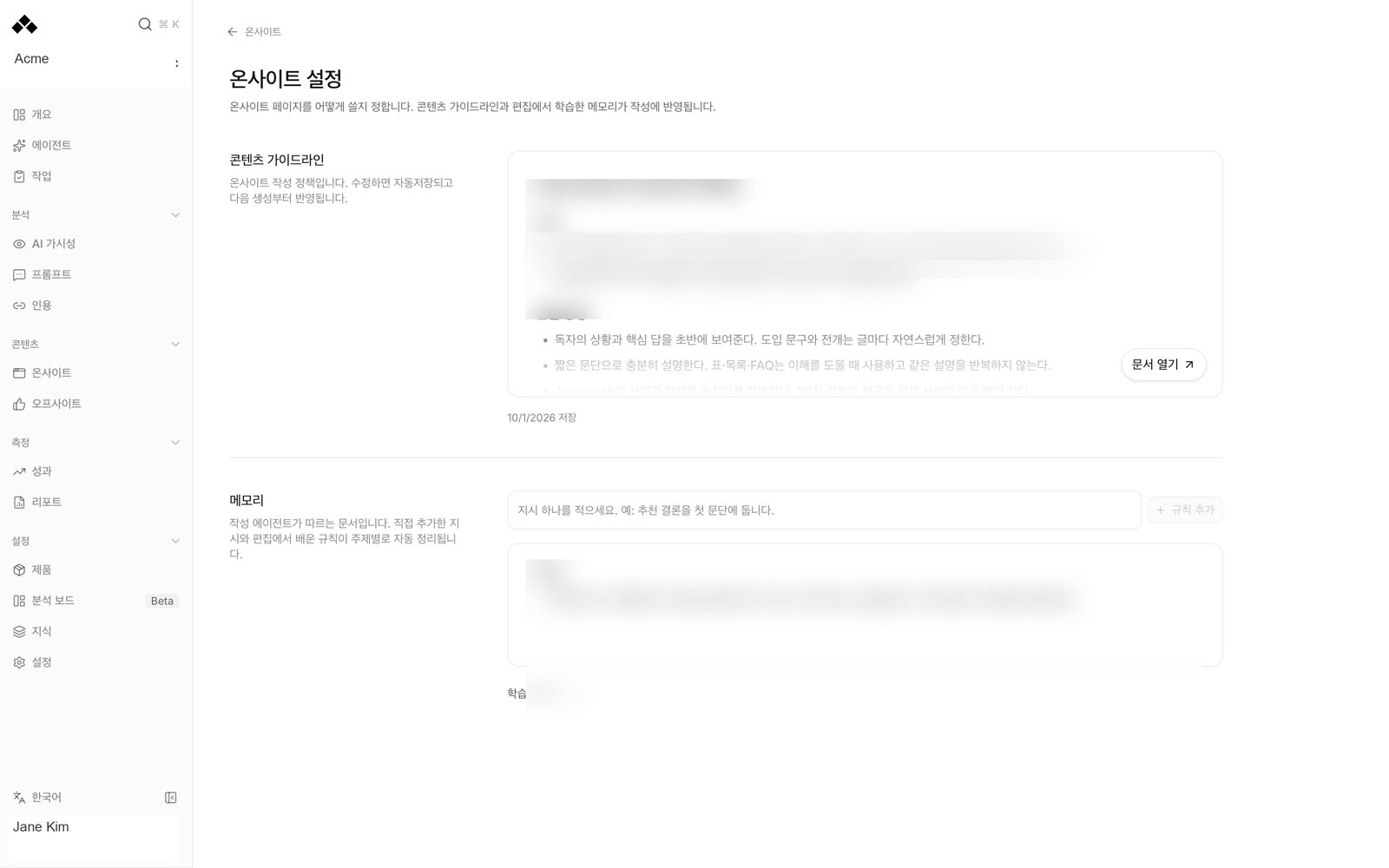
Content guidelines controls writing on your own site. Off-site guidelines controls third-party writing on external channels. Put rules specific to a channel under that channel’s heading in the off-site document. Choose Open document to read or edit the guidelines. The document opens in the dashboard language when translation is needed. Use Show original to inspect the stored wording; editing takes place in the original. The assistant stays beside the document so you can ask for changes without leaving the page. Guidelines save automatically and apply from the next generation. There is no separate approval step to activate an autosaved rule. Wait for the saved status before leaving. If a document exceeds its limit, the warning means your latest text is not being saved; shorten it first.Memory
Memory shows the document the writer follows, organized by topic. It combines instructions you add and rules learned from saved edits. New learned rules apply without a separate confirmation button. Write a short, reusable instruction and press Add rule. Examples: “Put the recommendation in the first paragraph” or “Use this approved phrase for the delivery policy.” A rule should describe what future drafts must do, rather than a one-time correction on a single page. The main document holds general instructions. Only on pages about lists rules specific to a named product or company; the writer applies them when the page mentions that subject. Terminology holds word-for-word replacements and includes them with every page. Learning history lists the underlying Written and Learned from edits rules. Show edits opens the before-and-after examples behind a learned rule. An example can illustrate a judgment without being text to copy, or be marked as a word-for-word replacement. Turn a rule off when it should no longer guide the writer. It moves to Turned off and leaves the next run’s instructions. Turning a rule off does not rewrite existing published content.Saved page edits and later generation are separate events. Check Learning history and the current Memory document to confirm a pattern has become a rule. Editing one page is not proof that every later page will repeat your correction.
Non-public domains
Non-public domains protects internal source addresses from appearing in public content. Add a host or a page address; the host and its subdomains are excluded from research, citations and links across both content lanes. Their material can still serve as internal background. For example, if your internal guide lives on a private help host, add that host before using the guide as background. Do not put a public source here merely because you dislike its writing style; the setting changes whether the writer can cite or link it.Choose the right place for a correction
A broad instruction can affect many future pages. Keep it specific, factual and consistent with the other rules. “Never make mistakes” cannot guide a writer; an approved term, a required qualification or a concrete layout instruction can.
How to use it
1
Open the correct lane
Open On-site settings from On-site or Off-site settings from Off-site. The memories are separate.
2
Read the current instructions
Inspect the guidelines and Memory document before adding a rule. Check for an existing rule that already covers the issue.
3
Make one reusable correction
Edit the guidelines or use Add rule. Wait for the saved state. Review Show edits if the instruction was learned from a correction.
4
Check a new draft
Read the next generated draft to verify the intended behavior. An existing draft is not automatically rewritten by a settings change.
FAQ
Do I have to confirm learned rules?
Do I have to confirm learned rules?
No. The writer’s Memory is rebuilt as rules are learned, added or turned off. Read the current document to see what it follows.
Do on-site rules apply to off-site posts?
Do on-site rules apply to off-site posts?
Each lane has its own guidelines and Memory. Both lanes share brand facts and non-public domain protection.
Can I remove a rule from future writing?
Can I remove a rule from future writing?
Turn it off in Learning history. Existing pages remain unchanged.
Is the translated document the saved original?
Is the translated document the saved original?
No. Translation is for reading. Open Show original to inspect and edit the stored document.
Why wasn't my long document saved?
Why wasn't my long document saved?
Read the length warning and shorten it. The saved indicator, not the fact that text is visible, confirms storage.
Related
Knowledge
Correct the facts used by both lanes.
Make a fix stick
Turn a page correction into a reusable instruction.
Page editor
Edit and review one draft.
Display language
Read translations without changing originals.